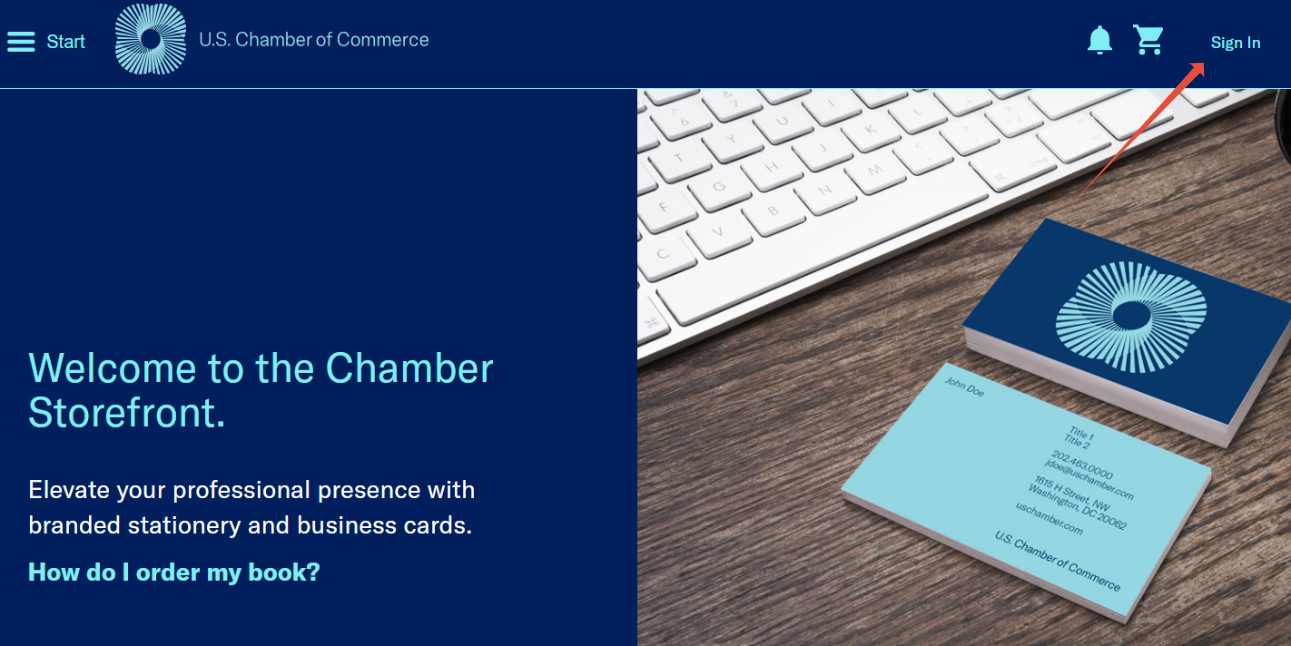
When navigating to publications.uschamber.com/
Click "Sign In" at the top right hand corner.
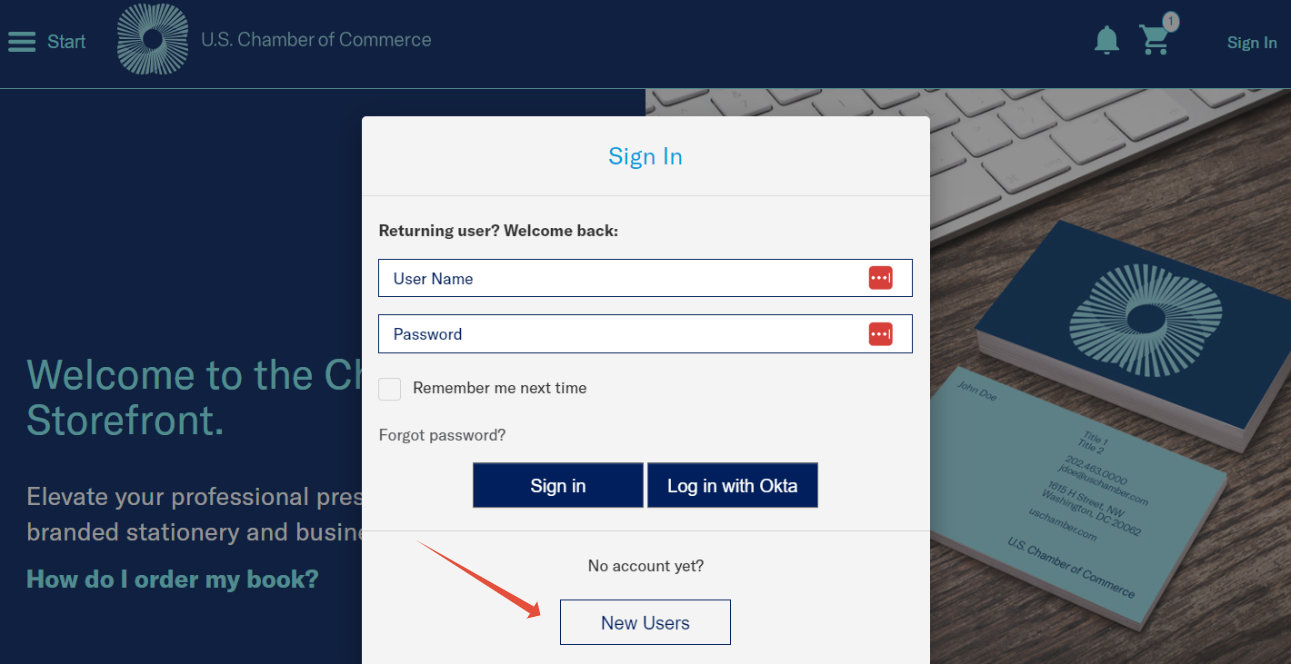
A Sign In box will display.
Click "New Users"
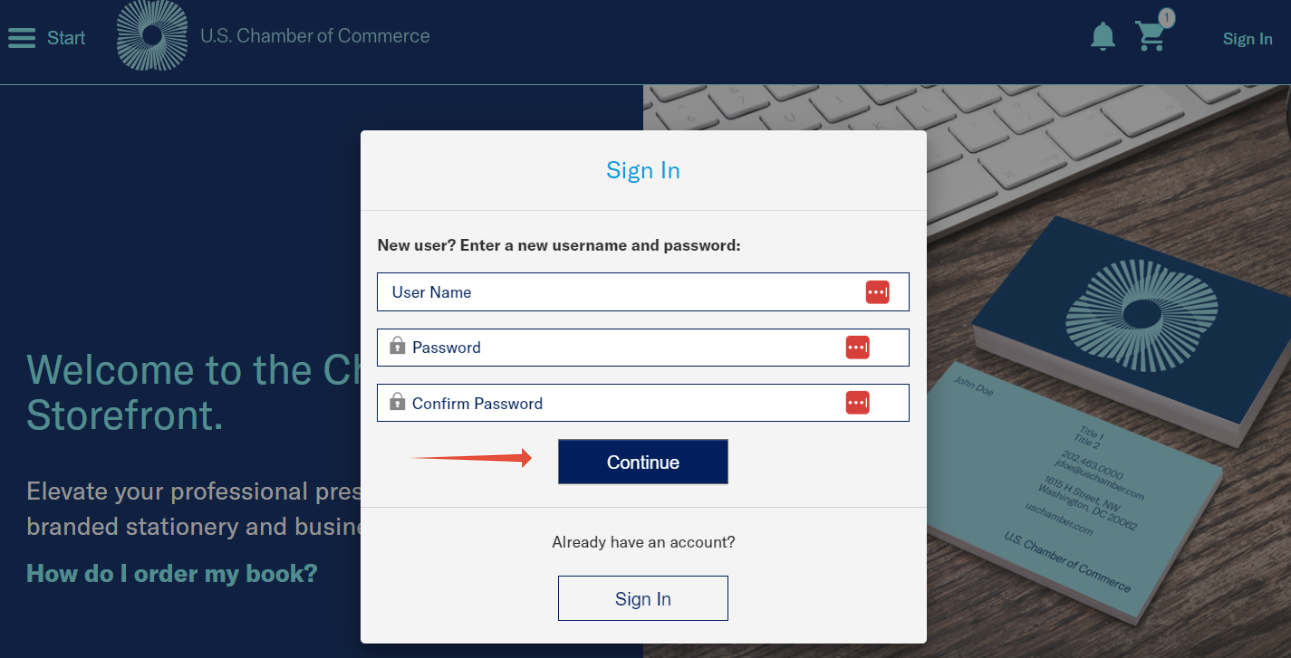
Enter desired user name.
Enter desired password twice.
Click "Continue"
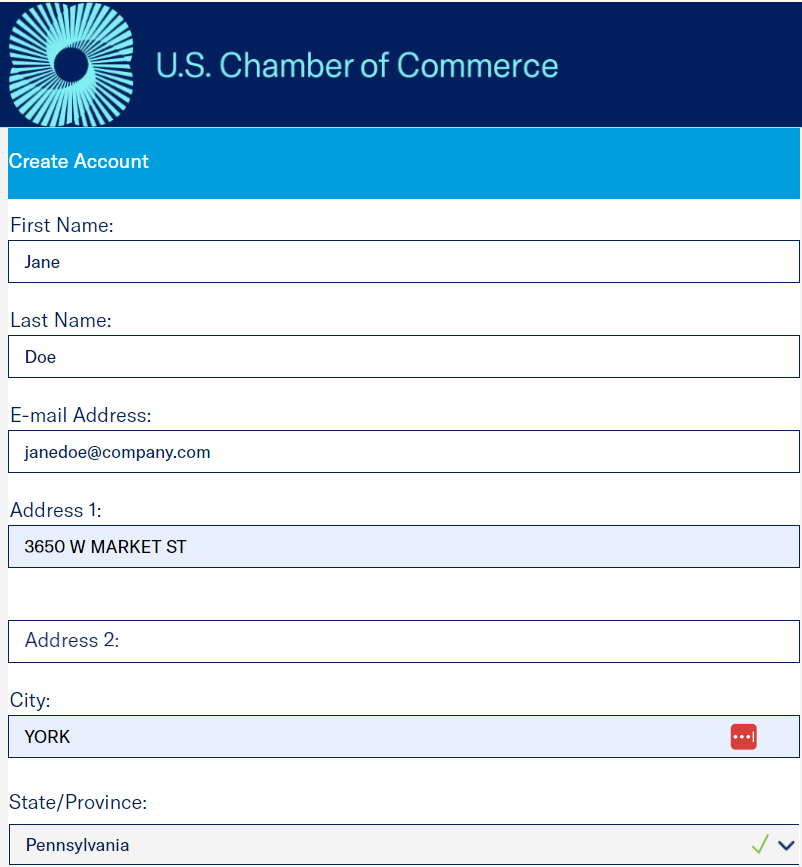
Next, this page will display to enter personal information.
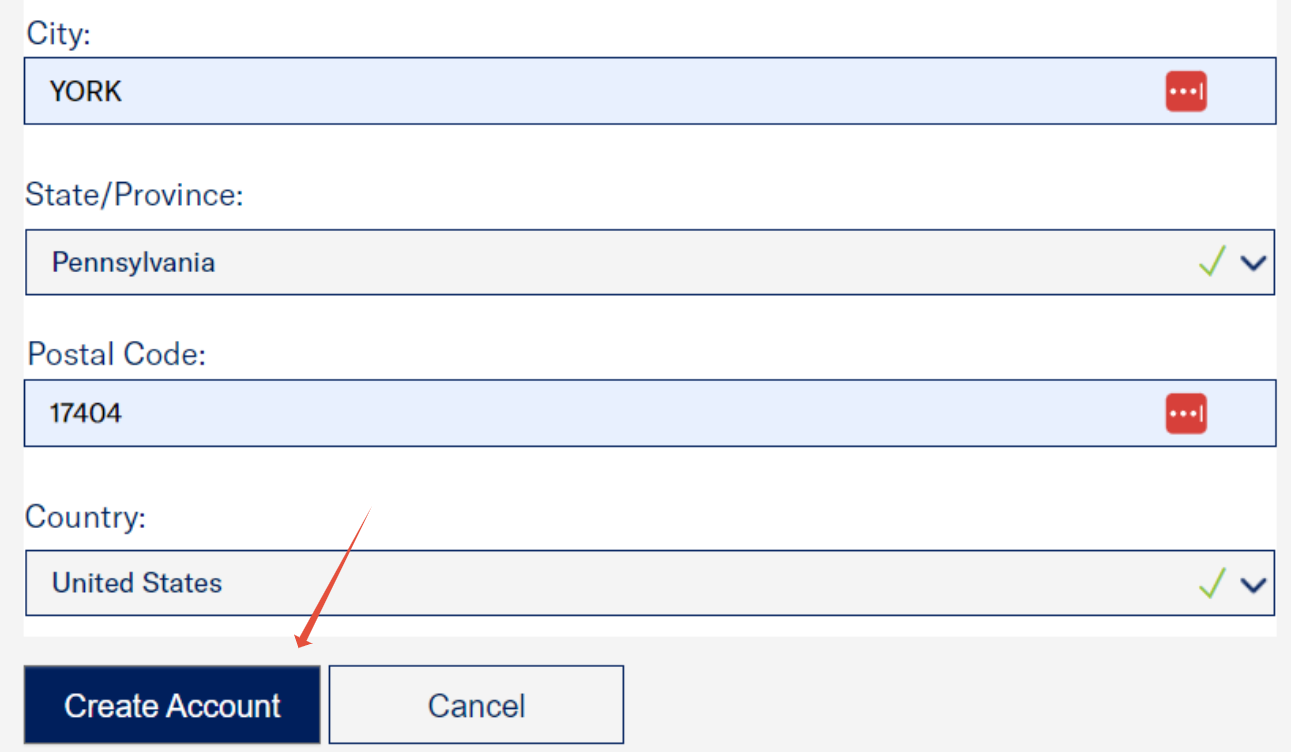
Enter First and Last Name, Email Address, Address, City, State, Zip, and Country.
At the very bottom, after entering all information click "Create Account".
Was this article helpful?
That’s Great!
Thank you for your feedback
Sorry! We couldn't be helpful
Thank you for your feedback
Feedback sent
We appreciate your effort and will try to fix the article